

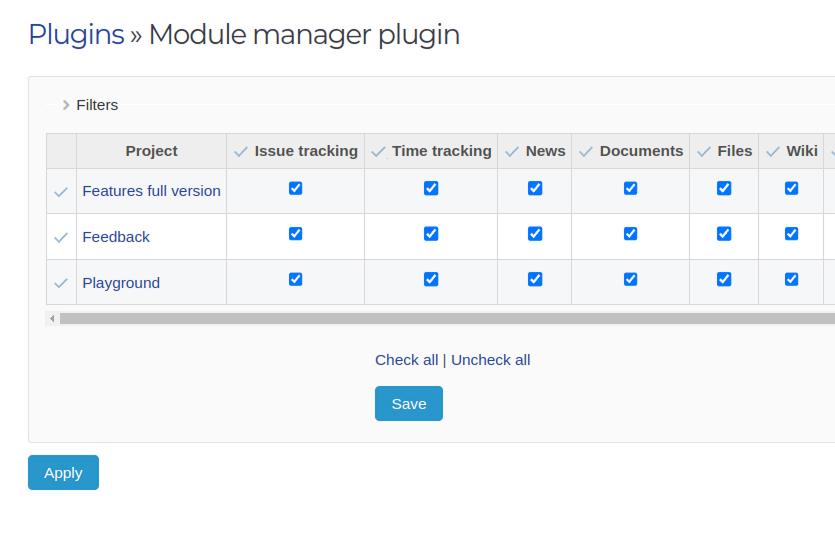
Übersichtliche verwaltung bestehender projekte
Ändern sie ganz einfach den satz aktiver module in iaufenden projekten.
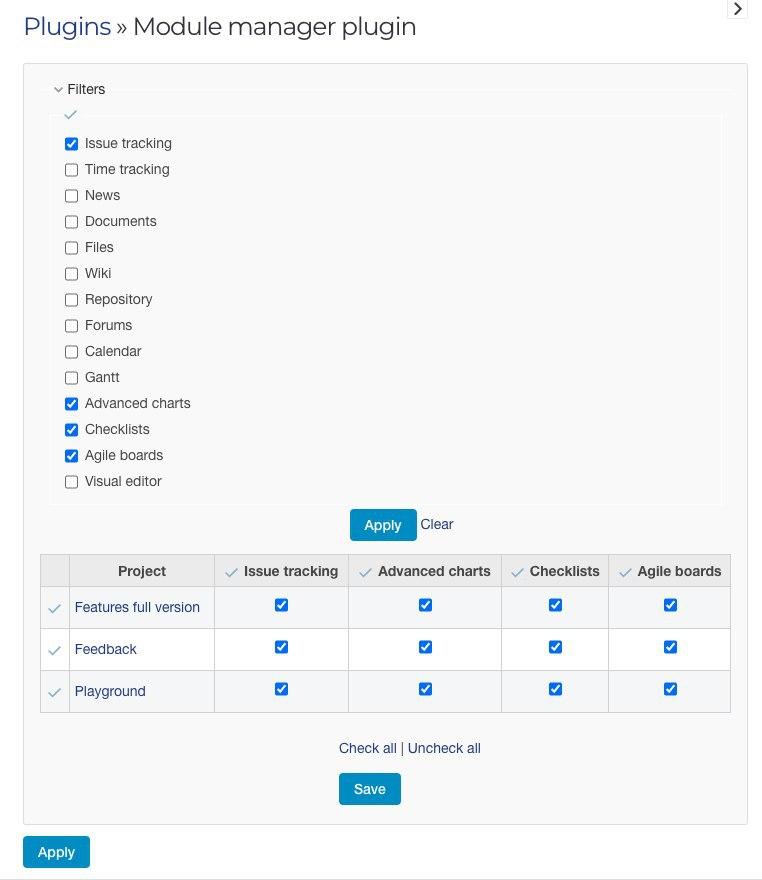
Intuitive oberfläche
Das plugin integriert sich nahtlos in die admin oberfläche und bietet eine komfortable und übersichtliche schnittstelle zur modulverwaltung.
Demo
Schauen Sie sich alle Funktionen unserer Plugins in der Demo an
Sonderangebot


Changelog
Version 0.0.3
24.08.2026Hinzugefügt
- Fixierter Tabellenkopf und eingefrorene Projektspalte beim Scrollen.
- Einklappbare Projekttabelle (standardmäßig ausgeklappt) mit clientseitiger Projektsuche.
- Modulfilter-Checkboxen im CSS-Grid-Layout.
Behoben
- Der Link „Clear filter“ setzt jetzt auf /settings/plugin/module_manager zurück, ohne fehlerhaften ?class=-Parameter.
- Erfolgs-Flash nach Save verwendet flash[:notice], damit Redmine den grünen Hinweis-Hintergrund anzeigt.
Geändert
- Archivierte und geschlossene Projekte werden in der Modultabelle ausgeblendet.
- Der Modulfilter blendet Spalten nur im Browser ein/aus; Save verwendet immer die aktuellen Checkbox-Werte (einschließlich ausgeblendeter Spalten). Keine Apply-Schaltfläche.
- Save speichert außerdem die ausgewählten Filtermodule und stellt sie beim nächsten Besuch wieder her.
Version 0.0.2
Hinzugefügt
- Kompatibilität mit Redmine 7.0 [33903].
- Kompatibilität mit Redmine 6.1 [33282].
Kompatibilität
- Redmine5.1 - 7.0
- WebbrowsernChrome, Firefox, Safari, Edge
- DatabasesMySQL 5.7, MySQL 8.0, PostgreSQL 14-16, SQLite
- Plugins advanced_charts, appearance_custom, additional_tags, additionals, module_manager, periodic_reminder, periodictask, redmine_advanced_checklists, redmine_app_notifications, redmine_banner, redmine_impersonate, redmine_issue_dynamic_edit, redmine_issue_templates, redmine_kanban, redmine_local_avatars, redmine_searchable_selectbox, redmine_theme_changer, redmine_wysiwyg_editor, user_group_editor, view_customize