Module Manager
Description
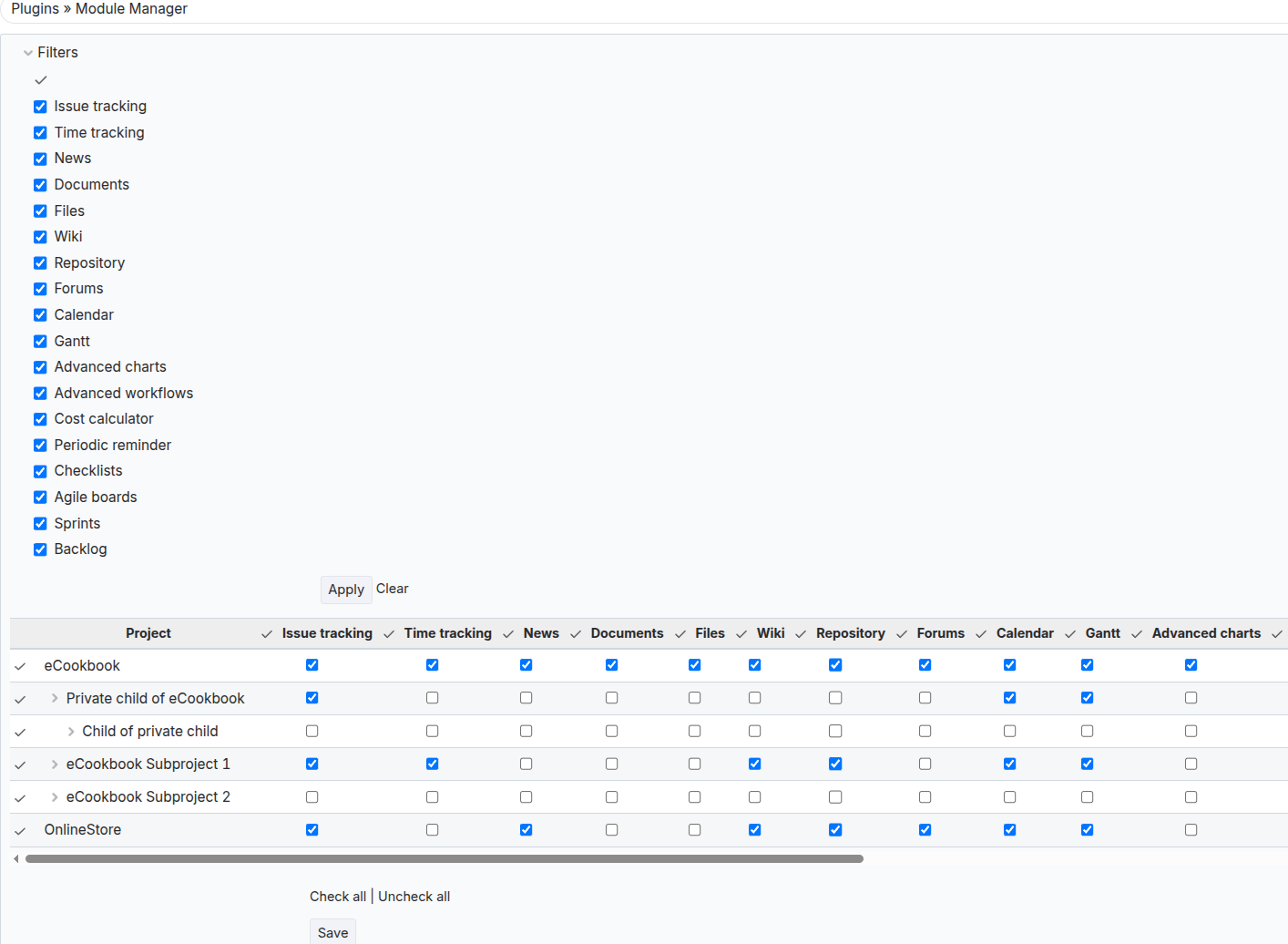
Module Manager is a plugin for Redmine administrators that provides centralized management of project modules from a single page. The plugin significantly simplifies administration by allowing efficient control and configuration of available features for each project in the system.
Key Features
- Unified interface for managing all project modules
- Quick activation and deactivation of modules without navigating to each project individually
Compatibility
Redmine: 5.1 - 7.0
Web Browsers: Chrome, Firefox, Safari, Edge
Databases: MySQL 5.7, MySQL 8.0, PostgreSQL 14–16, SQLite
Plugins: advanced_workflow, redmine_kanban, redmine_advanced_checklists, advanced_charts, appearance_custom, periodic_reminder, user_group_editor, queries_perfect, selectbox_autocompiler, cost_calculator
Installation and Update
-
Remove the old version of the plugin from Redmine if it exists.
cd redmine/plugins rm -r module_manager -
Copy the new module_manager plugin folder to redmine/plugins/
-
Stop and start Redmine. (In some Redmine setups, e.g., Docker, it is important to stop and start the server, not just restart.)
Uninstallation
- Delete the module_manager plugin folder from redmine/plugins/
rm -r module_manager
- Stop and start Redmine.
Usage
- Go to Administration -> Modules -> Module Manager
- Select and save the modules that should be available in projects.
- All projects will automatically receive the specified configuration.
Interface and Functionality
The interface is a list of all available system modules with the ability to enable/disable them in bulk.